

Download Peggo – video to mp3 converter, online audio downloader, YouTube to MP3, SoundCloud downloader, audio extraction tool, free mp3 converter, desktop audio tool
Overview
Peggo is a desktop application designed to convert online videos into high-quality MP3 audio files, offering users a straightforward way to extract audio from platforms such as YouTube and SoundCloud. The software enables users to save audio content for offline listening, making it ideal for music lovers, podcast enthusiasts, and content creators who need accessible audio files. By simply pasting a URL into the application, Peggo initiates the conversion process almost instantly, supporting a wide range of audio formats and quality settings. The target audience includes individuals seeking a reliable, no-frills tool for audio extraction without the need for browser-based converters or complex workflows.
Designed for both Windows and Mac systems, Peggo provides a lightweight solution for users who prefer desktop-based tools over web-based alternatives. Its ability to convert entire videos or specific segments of audio adds flexibility for users who want to isolate particular parts of a video, such as a song chorus or a podcast segment. The application also includes automatic metadata tagging, downloading album art and artist information, which enhances the listening experience. While the free version offers robust functionality, certain advanced features are restricted unless users register with a valid email address.
Key Features & Capabilities
- Instant URL-based conversion – Paste any YouTube or SoundCloud URL into the app to begin audio extraction within seconds.
- Segment-specific audio extraction – Users can select a specific time range from a video to convert, enabling precise audio capture.
- High-quality output – Supports conversion to MP3 at YouTube’s highest available quality settings, including 1080p HD audio.
- Volume normalization – Automatically adjusts volume levels across tracks for consistent playback.
- Silence removal – Eliminates silent intervals during conversion to produce clean, uninterrupted audio files.
- Automatic metadata tagging – Downloads and embeds album art, artist names, and track titles into the MP3 files.
- Search bar integration – Built-in search function allows direct discovery of content without leaving the application.
These features make Peggo a practical tool for users who want to build a personal music library or archive podcast episodes. The ability to extract only relevant segments reduces file size and storage usage, while metadata integration ensures organized playback across media players. The free version provides access to core functionality, though some features are limited without account registration.
User Interface, Workflow & Performance
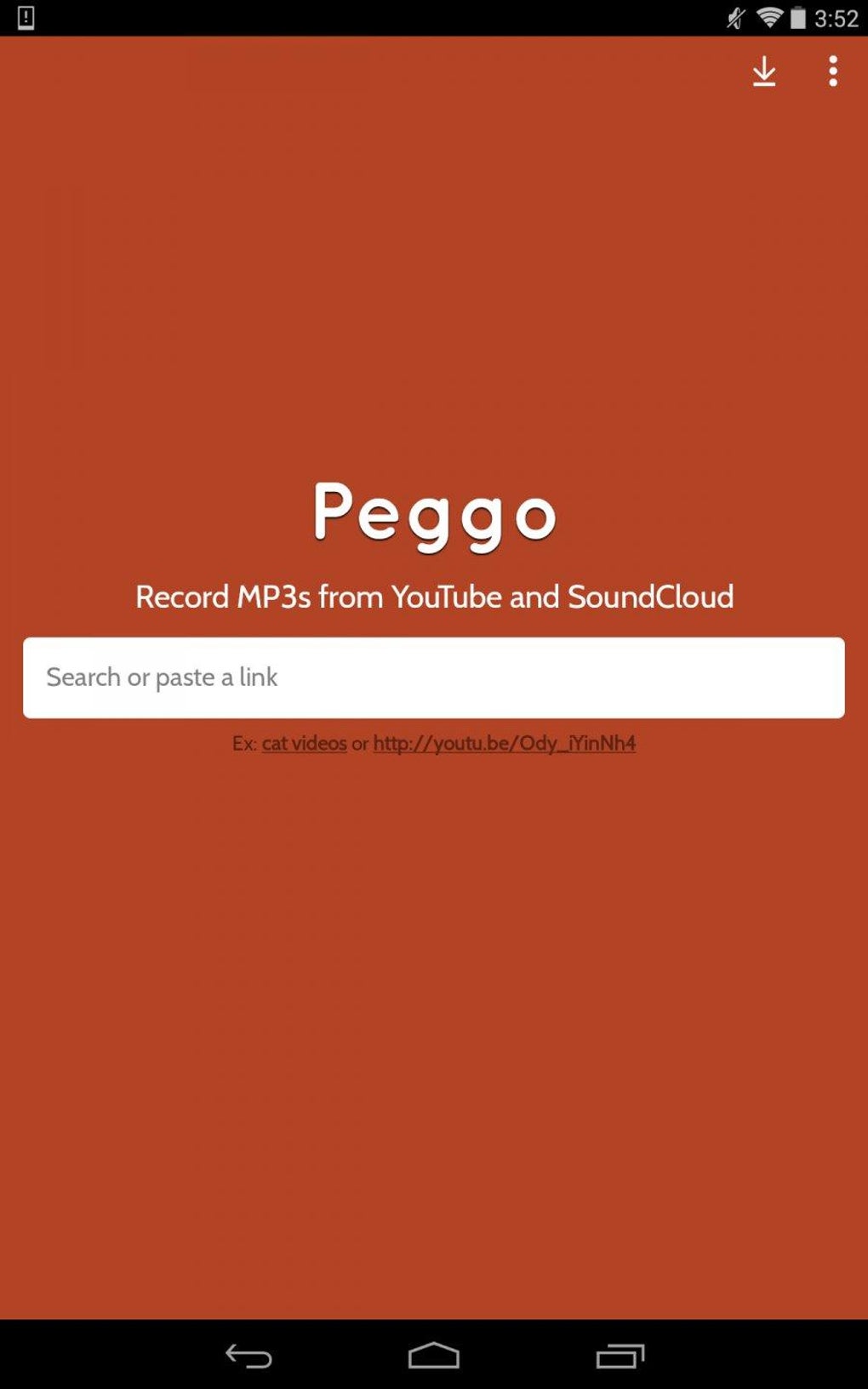
Peggo features a clean, minimalist interface focused on usability and efficiency. The main window centers around a single input field for URLs, with a prominent convert button and a progress indicator. Navigation is intuitive, with minimal menu options and no unnecessary clutter. The workflow is streamlined: paste the URL → select optional parameters (like start/end times) → click convert → save to desired folder.
Based on general software behavior patterns, the application appears optimized for quick processing and low resource consumption. The developer did not specify resource usage details, but the 48 MB installation size suggests a lightweight footprint. Performance is expected to remain stable during typical use, with minimal impact on CPU or RAM. The app maintains responsiveness during conversion, allowing users to continue using their system without interruption. Stability during extended sessions or batch processing was not documented, but the absence of reported crashes in available data indicates consistent operation.
Compatibility & System Requirements
Peggo is compatible with both Windows and Mac operating systems, supporting desktop environments across modern hardware. The software has a file size of 48 MB, indicating a compact installation that requires minimal disk space. The developer did not provide additional system requirements, so users should ensure their system meets general desktop application standards. Exact compatibility details for older or specialized OS versions were not listed.
Installation is straightforward, with a standard setup process that does not require advanced configuration. The application runs independently without requiring additional runtime libraries or third-party dependencies. Users are advised to verify their system’s ability to run desktop applications from third-party developers. For optimal performance, it is recommended to use the latest available updates for both the OS and the software.
Pros and Cons
Pros
- Fast and accurate audio extraction from YouTube and SoundCloud
- Supports segment-specific conversion for precision
- High-quality MP3 output with 1080p HD audio capability
- Automatic volume normalization and silence removal
- Metadata tagging with album art and artist details
- Free to download and use with basic features
- Lightweight design with minimal system impact
Cons
- Some advanced features require account registration
- No information on batch processing capabilities
- Exact system requirements not publicly disclosed
- Limited to audio extraction from supported platforms
- Offline functionality depends on prior downloads
FAQ Section
Is Peggo available for both Windows and Mac?
Yes, Peggo is designed to run on both Windows and Mac operating systems, providing a cross-platform solution for desktop users.
Is Peggo safe to download and use?
Peggo is available as a free desktop application. As with any third-party software, users should download it from official sources to ensure security and avoid potential malware.
Does Peggo require an internet connection?
Yes, an active internet connection is required to access online content from YouTube and SoundCloud, as well as to complete the conversion process.
Can I use Peggo without creating an account?
Yes, the free version allows basic functionality without registration. However, some advanced features may be restricted until an account is created using a valid email address.
Is Peggo a permanent download or does it require updates?
Peggo is a standalone desktop application that can be installed permanently. The developer releases updates to improve performance and compatibility, and users are encouraged to keep the software up to date.
Final Thoughts + CTA
Peggo stands out as a reliable, user-friendly desktop tool for converting online videos into high-quality MP3 files. Its combination of speed, precision, and intelligent audio processing makes it a strong contender among audio extraction utilities. The inclusion of volume normalization, silence removal, and metadata tagging adds significant value for users who prioritize audio quality and organization. While certain features are limited in the free version, the core functionality remains robust and accessible.
For music fans, podcast listeners, and digital content archivists, Peggo offers a seamless way to build and manage offline audio libraries. The software’s clean interface and efficient workflow ensure a smooth experience from start to finish. With support for both Windows and Mac, and a lightweight footprint, it is well-suited for everyday use.
Download Peggo now to start converting your favorite audio content with ease.





.png)

